
Migration from grants to Identity and Access (Limited availability)
Identity and Access is in Limited AvailabilityThe enablement of Identity and Access to all Cloud users will be done in stages. If you don't see Identity and Access (Beta) in Cloud Manager, it means that the feature is not enabled on your account and you should continue using the Grant-based access control to authorize operations on entities.
The migration from grants to the RBAC model is an ongoing process that will happen over a period of time. While the migration is happening:
- In the UI, the User & Grants tab will no longer be available. Since the introduction of Identity and Access in Cloud Manager, all access settings exist in the Identity and Access service. To learn more, see Comparison of User & Grants with Identity and Access.
- In the Linode API, there are two sets of API endpoints, one supporting the legacy grants and one for the RBAC model. To learn more about the new API experience, see Comparison of Linode API for grants and Identity and Access .
Cloud computing services that are fully migrated to the RBAC model are called natively enabled services. However, some services are yet to be migrated to the RBAC model. These services are called non-natively enabled. The fact that they are not yet migrated doesn’t mean any loss of functionality. These services are also managed through Identity and Access, but with a slightly different experience. To learn more, see Identity and Access for non-natively enabled services.
Comparison of User & Grants with Identity and Access
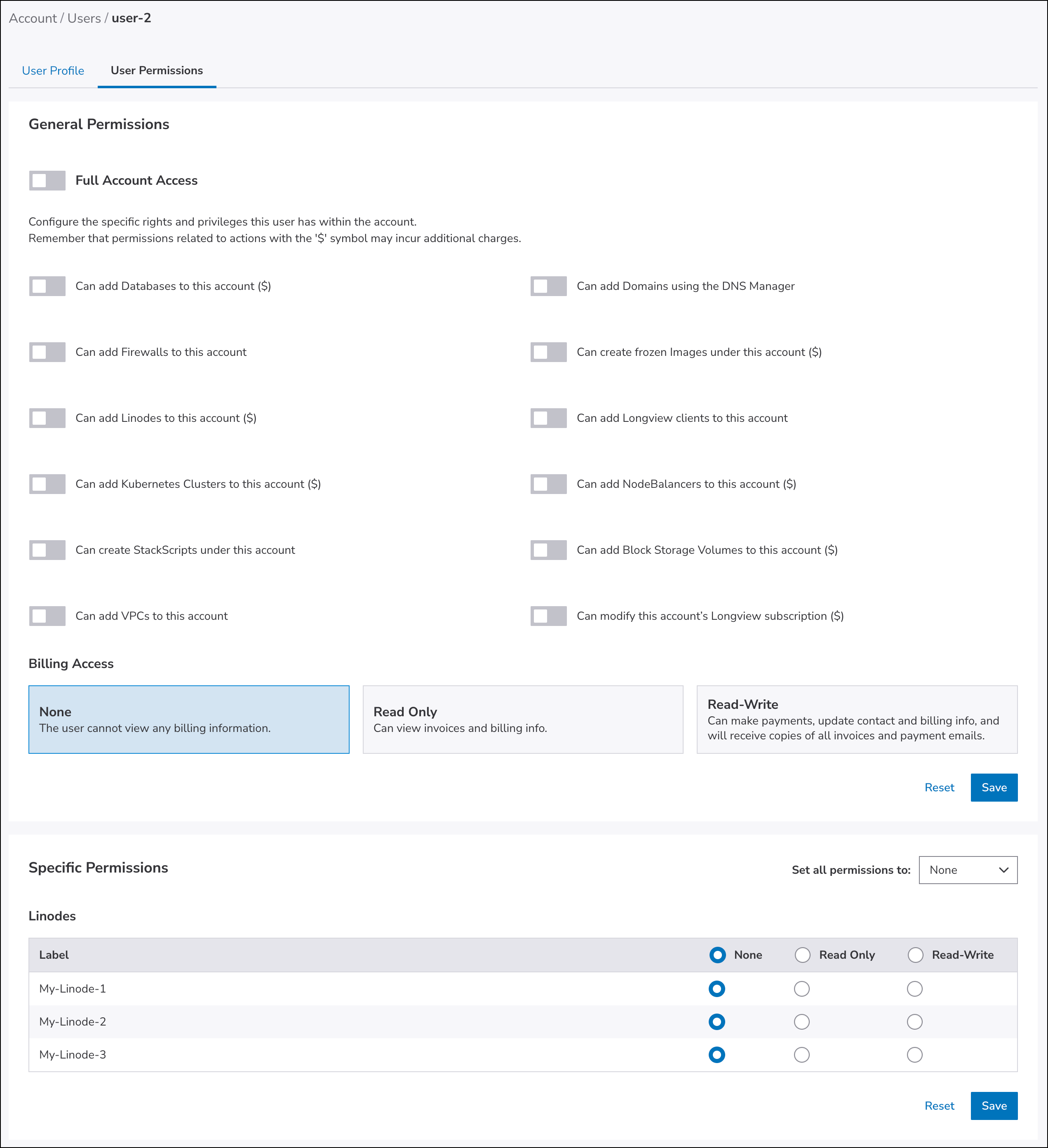
Until the introduction of Identity and Access, there was the User & Grants tab in the Accounts tool where an account administrator could assign to specific users:
- Full access, so that the user would become an unrestricted user
- The legacy General permissions that enabled users to add various types of entities
- Billing access
- The legacy Specific permissions of None, Read Only, and Read-write, for each entity of a specific type
With the introduction of Identity and Access in Cloud Manager:
- Grants of users who were already added to your account are migrated to their closest equivalent Identity and Access roles.
- To set access for new users, see Manage user access (Beta). To summarize the differences in experience:
- To make a user an unrestricted user, you need to assign them the
account_adminrole. - Restricted users get
account_oauth_client_admin,account_event_viewer,account_notification_viewerandaccount_maintenance_viewerroles assigned by default. - For natively-enabled services, there’s a list of roles available for assignment:
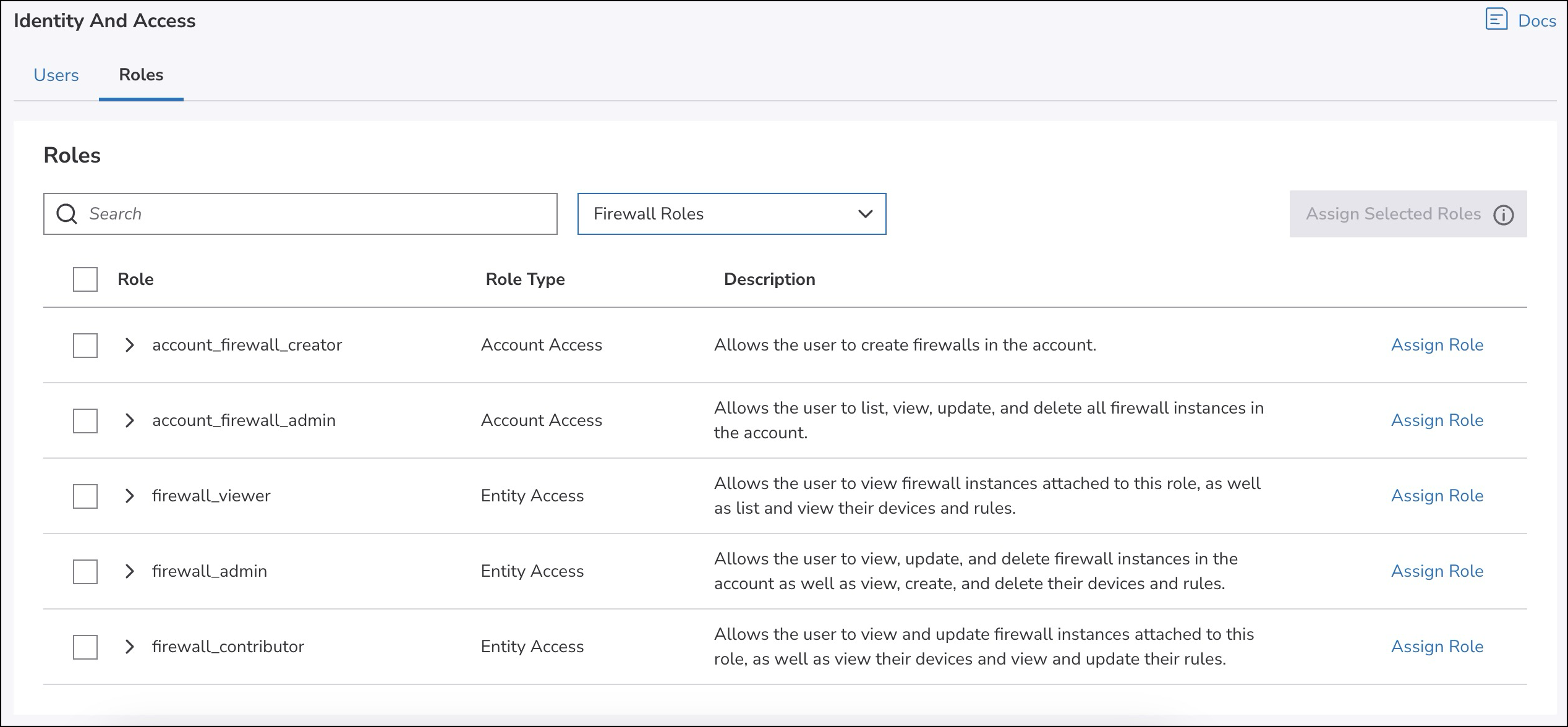
1. The legacy General permissions are now account access roles. You can decide whether you want to enable just the creation of new entities (account_*_creatorroles, for exampleaccount_linode_creator).
2. For billing there are two account access roles available:account_billing_viewerandaccount_billing_admin.
3. The legacy Specific permissions are now entity access roles with three possible levels of access:
1.*_viewer, that allows you to view entities.
2.*_contributor, that allows to view and update entities.
3.*_admin, that allows to perform all operations on entities.
Where*is a specific entity type.
- To make a user an unrestricted user, you need to assign them the
There’s no None access permission. If a user doesn’t have a service- or entity-specific role assigned to them, they don’t have access to it.
Comparison of Linode API for grants and Identity and Access
Until the introduction of Identity and Access, there were grants endpoints that an account administrator could use to:
- Make a user an unrestricted or restricted user
- Grant users access to specific entities or actions
Security warningYou should not combine grants and Identity and Access operations. This means that you need to decide whether you want to continue using the grants operations or switch to Identity and Access operations.
To ensure the security of your account, once you switch to Identity and Access endpoints, use the Identity and Access endpoints consistently. By mixing grants and Identity and Access operations, you may expose your account to security risks, due to differences in access control between the two systems.
With the introduction of Identity and Access:
a) Grants of users who were already added to your account are migrated to their closest equivalent Identity and Access roles.
b) To summarize the differences in experience:
-
The unrestricted user is now a user with the
account_adminrole. You set therestrictedparameter in the Create a user or Update a user's grants operations tofalseand it assigns the user theaccount_adminrole. This role allows a user to list, view, create, update, and delete all entities in the account. To see the full list of permissions this role contains, see Available roles. -
Restricted users get
account_oauth_client_admin,account_event_viewer,account_notification_viewerandaccount_maintenance_viewerroles assigned by default. -
For natively-enabled services, there’s a list of roles available for assignment:
- To enable just the creation of a specific type of entities, use the
account_*_creatorroles, for exampleaccount_linode_creator. - To grant users the same level of access as the legacy read-only
account_accessglobal grant that gives the authorized user read only access to account-level functionality such as billing, you need to assign the user withaccount_oauth_client_admin,account_billing_viewer,account_maintenance_viewer,account_event_viewerandaccount_notification_viewerroles. - The billing access is now managed with
account_billing_viewerandaccount_billing_adminroles:account_billing_viewerallows a user to list and view all payments, invoices, and payment methods in the account.account_billing_adminallows the user to list and view all payments, invoices, and payment methods in the account, as well as make payments, apply promo codes, and create, update, and delete payment methods.
- The legacy grants for a specific object type are now
entity_accessroles with three possible levels of access:*_viewer, that allows you to view entities,*_contributor, that allows to view and update entities.*_admin, that allows to perform all operations on entities.
Where*is a specific entity type, for example a linode.
- To enable just the creation of a specific type of entities, use the
Below is the list of grants operations and their corresponding Identity and Access operations. Note that each operation requires a specific grant or role to invoke the endpoint. To learn what’s required, read the respective API endpoint documentation.
| Grants operation | Identity and Access operation |
|---|---|
| There’s no one operation that lists all entities that you can grant access to. Instead you have separate operations for specific entity type: | |
| No corresponding operation | |
| Update a user's access level |
API workflows
This section compares the workflows for grants and Identity and Access endpoints.
| API workflow for grants | API workflow for Identity and Access |
|---|---|
To provide a user access using Grants, you need to:
| To provide a user access using Identity and Access, you need to:
|
Identity and Access for non-natively enabled services
Currently, not all services available in Cloud Manager are natively enabled in Identity and Access. Read this section to learn how the experience for these services differs.
Roles for non-natively enabled services Identity and Access don’t include a collection of associated fine-grained permissions, both in the UI and API. They're directly translated into a set of roles:
- The legacy General permissions in the UI and
account_accessglobal grant in the API, changed into account accessaccount_*_creatorroles, where*is replaced with the type of entity—for example,account_volume_creator. - The legacy grants for a specific object type changed into basic entity access roles:
- The Read Only roles changed into
*_viewerroles, where*is replaced with the type of entity—for examplevolume_viewer. - The Read-Write roles changed into
*_adminroles, where*is replaced with the type of entity—for examplevpc_admin.
- The Read Only roles changed into
Updated 10 days ago