
Access billing information
Most information and settings pertaining to billing are located within the Billing page in Cloud Manager. To access this information:
-
Log in to Cloud Manager. If you don't have the required access to manage billing, update your access settings or contact your account administrator.
-
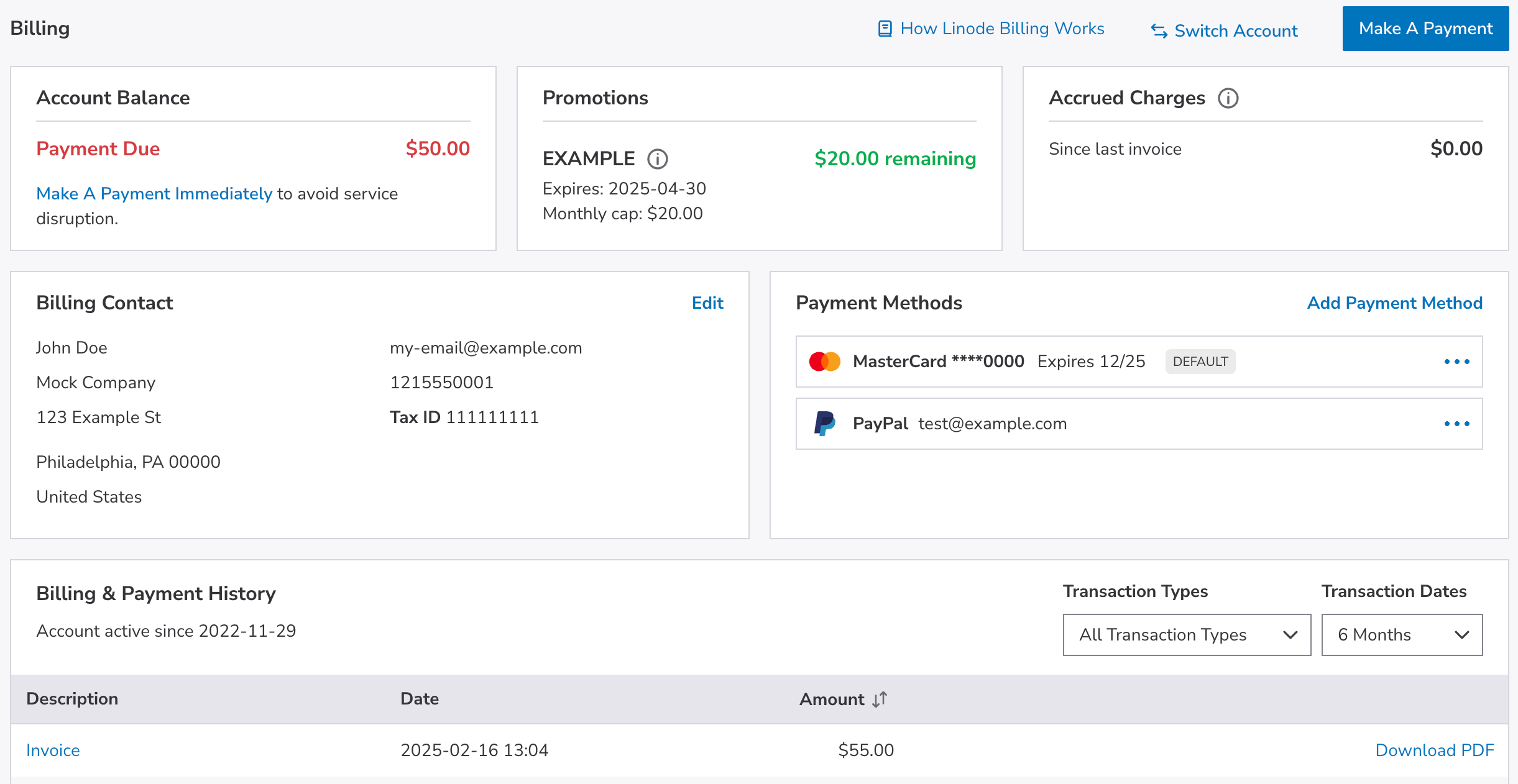
Navigate to Administration > Billing. This page contains several sections:
- Account Balance. The current balance on the account. This includes past due amounts from unpaid invoices and any positive balance remaining from credits or promo codes. The balance is displayed in different colors based on your account status:
- Black: A payment is due, but you are still within your billing grace period.
- Red: A payment is due and you are outside of your billing grace period.
- Green: You have a positive balance from credits or promo codes.
- Promotions. If your account has an active promotion or coupon, you can view its remaining balance and expiration date here. This section remains hidden when no active promotions exist.
- Accrued Charges. Displays charges accrued since your last invoice, including hourly rates up to the monthly cap and any additional fees for services on your account. See the Billing overview guide for help understanding these charges.
- Billing Contact. The name, address, phone number, and email address for the primary billing contact on the account. See Update billing contact information for more information.
- Payment Methods. The payment methods that have been added to the account.
- Billing & Payment History. Displays a list of previous invoices and payments, along with links to view or download each entry. See View invoices and payment history for more information.
- Account Balance. The current balance on the account. This includes past due amounts from unpaid invoices and any positive balance remaining from credits or promo codes. The balance is displayed in different colors based on your account status:
Updated about 1 month ago
Did this page help you?