
Prepare to use Delivery Manager
Get your account information
To use Delivery Manager Beta, ensure you have the following account and access credentials ready:
- An administrator account: A valid login and password for the user interface portal, Akamai Control Center.
-
Delivery Manager Beta access. Contact your account representative to request access to Delivery Manager Beta. By default, the required permissions are granted to the Admin role. Admins can then grant access to other roles in your company in Identity and Access Management.
Access note for cloned rolesCloned Admin roles don't automatically sync with new scope updates. If you run into access issues within Delivery Manager, check if you're using a custom role and have an administrator edit it, selecting Delivery Manager permissions under the Property Manager category.
You can also collaborate with your account team to set up any account-level rules or settings that need to be enforced across your configured services.
Set up your contract
Your contract determines which products and services you can use. Connect with your Akamai account team to set up one or more contracts that allow you to configure services in Delivery Manager.
Prepare your origin server
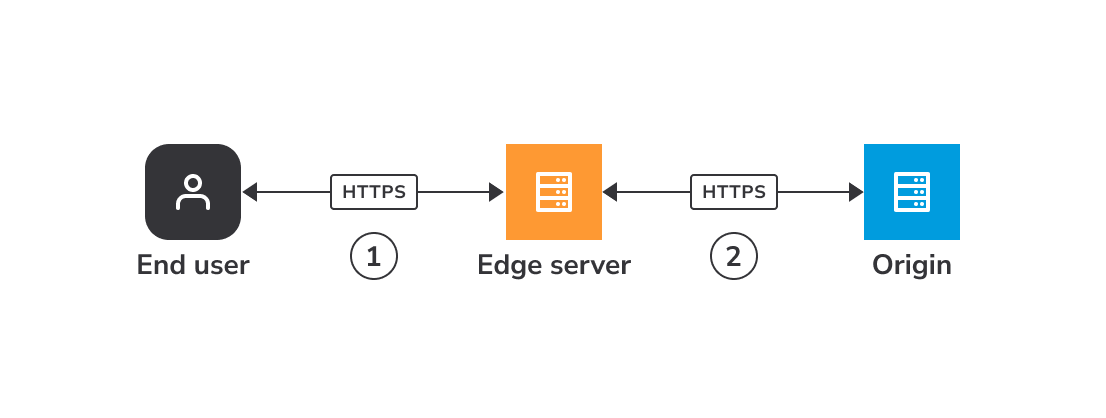
An origin server is a physical location that stores your deliverable content and responds to requests from Akamai edge servers. This is the second stage of the request flow, where edge servers retrieve content from your origin. Before adding your origin server to the request flow, you need to set some things up at the origin level, gather essential information about it, and decide how you want Akamai to interact with it.
When using Delivery Manager to configure and serve your site or application, ensure your origin is set up so that Akamai’s edge servers have the necessary information to deliver your content to end users.
Updated 4 months ago