
Create Secrets
This lab walks you through creating a secret using Sealed Secrets. This enables you to securely store sensitive information in a Git repository.
For further instructions on creating secrets in App Platform, review the Secrets guide.
Creating a Secret
-
Select Secrets in the left menu.
-
Click the Create Secret button. This will take you to the page where you can create a secret.
-
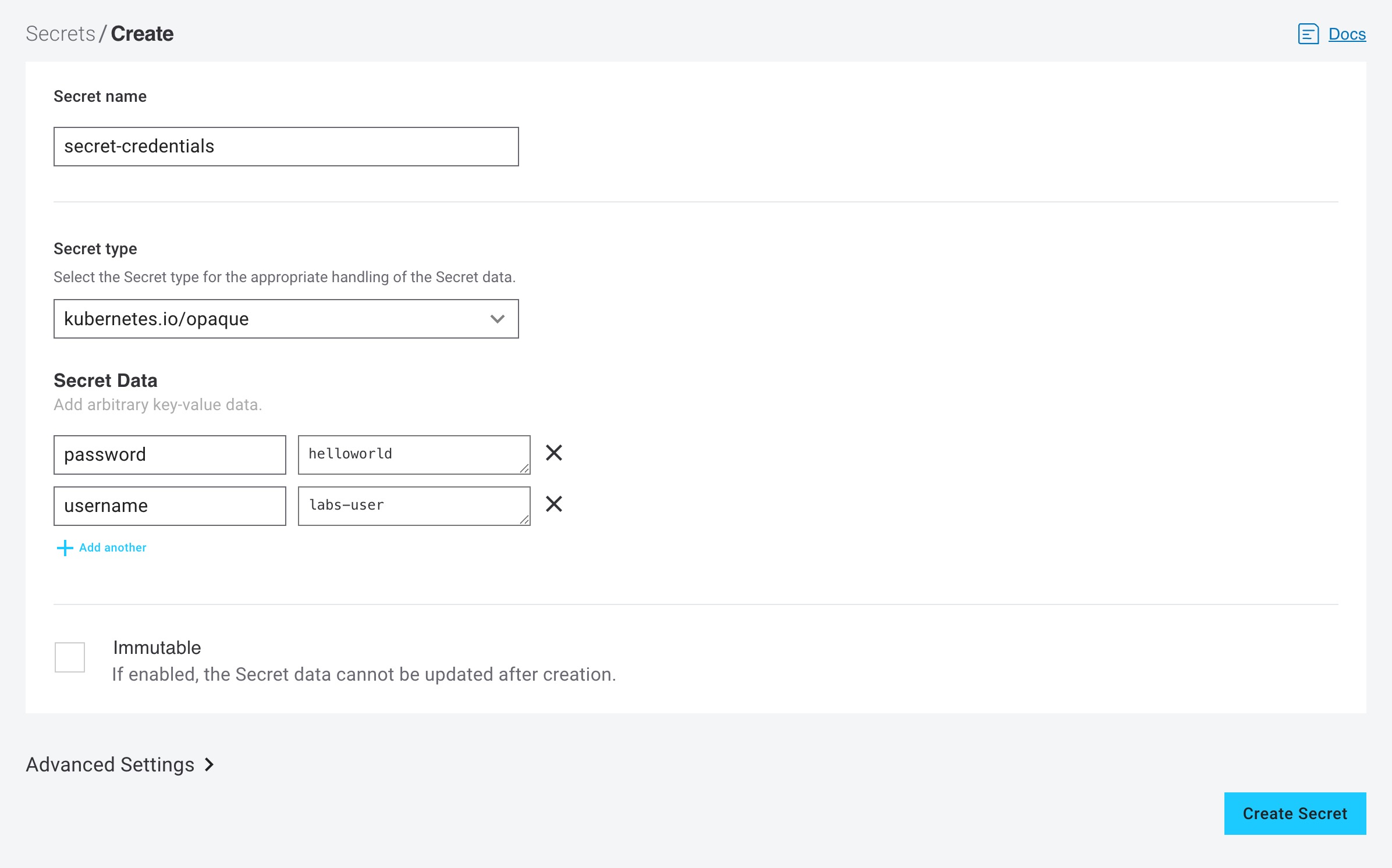
Fill in a name for your secret. This lab uses
secret-credentialsas the name . -
Select the secret type. This lab uses
opaqueas the type . -
Click on Add another so you can fill in two key-value pairs
-
In the Secret data section, add the following key-value pairs:
key=password value=helloworldkey=username value=labs-user
-
Click the Create Secret button.
The secret value will only be visible at the time of creation. After creation, the value field will display asterisks
****to indicate the data is encrypted and cannot be revealed through the interface, though it can be overwritten. To overwrite the secret, click on the lock🔒icon next to the value field, enter the new secret value, and click onSave Changes.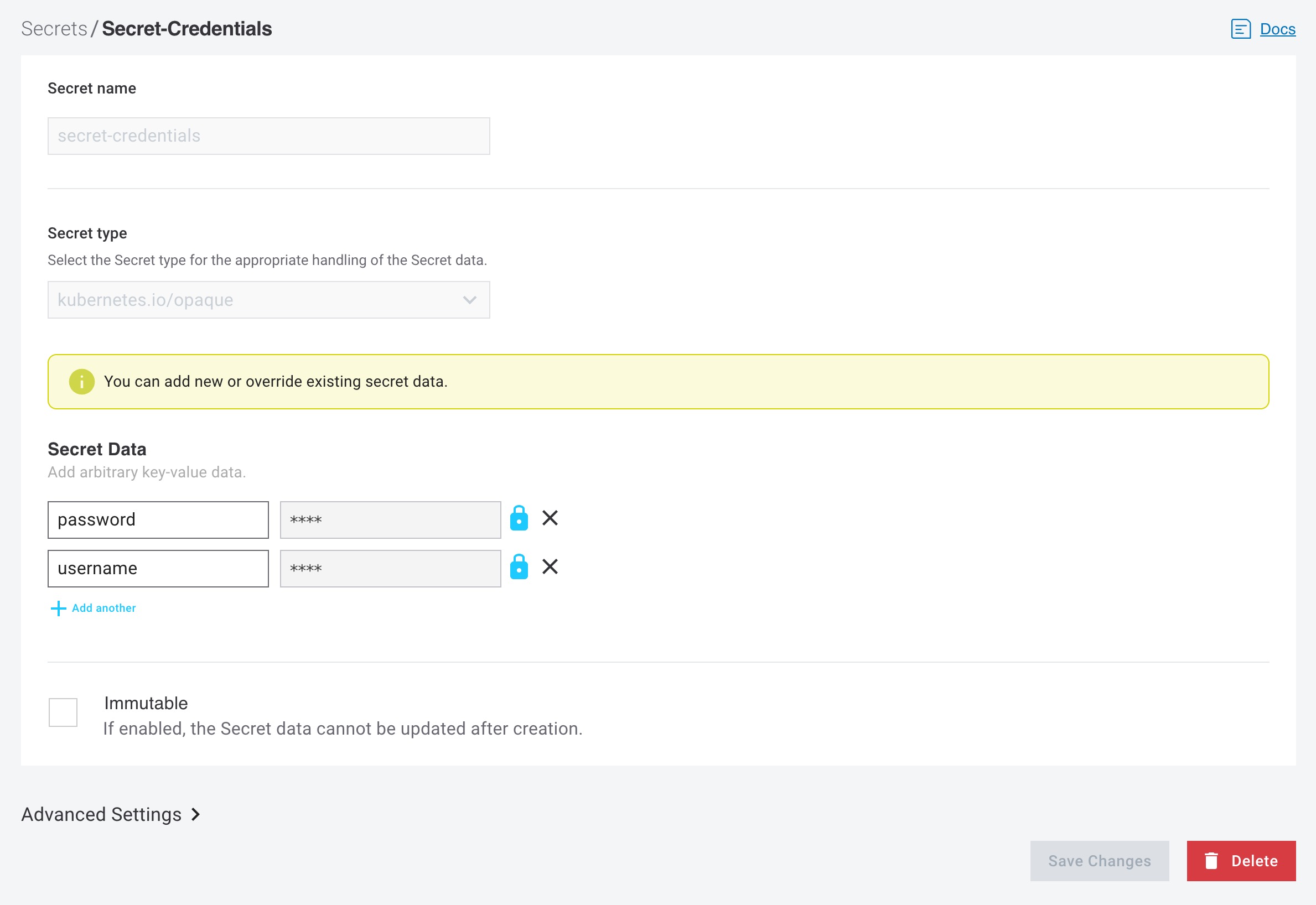
Checking the Git repository
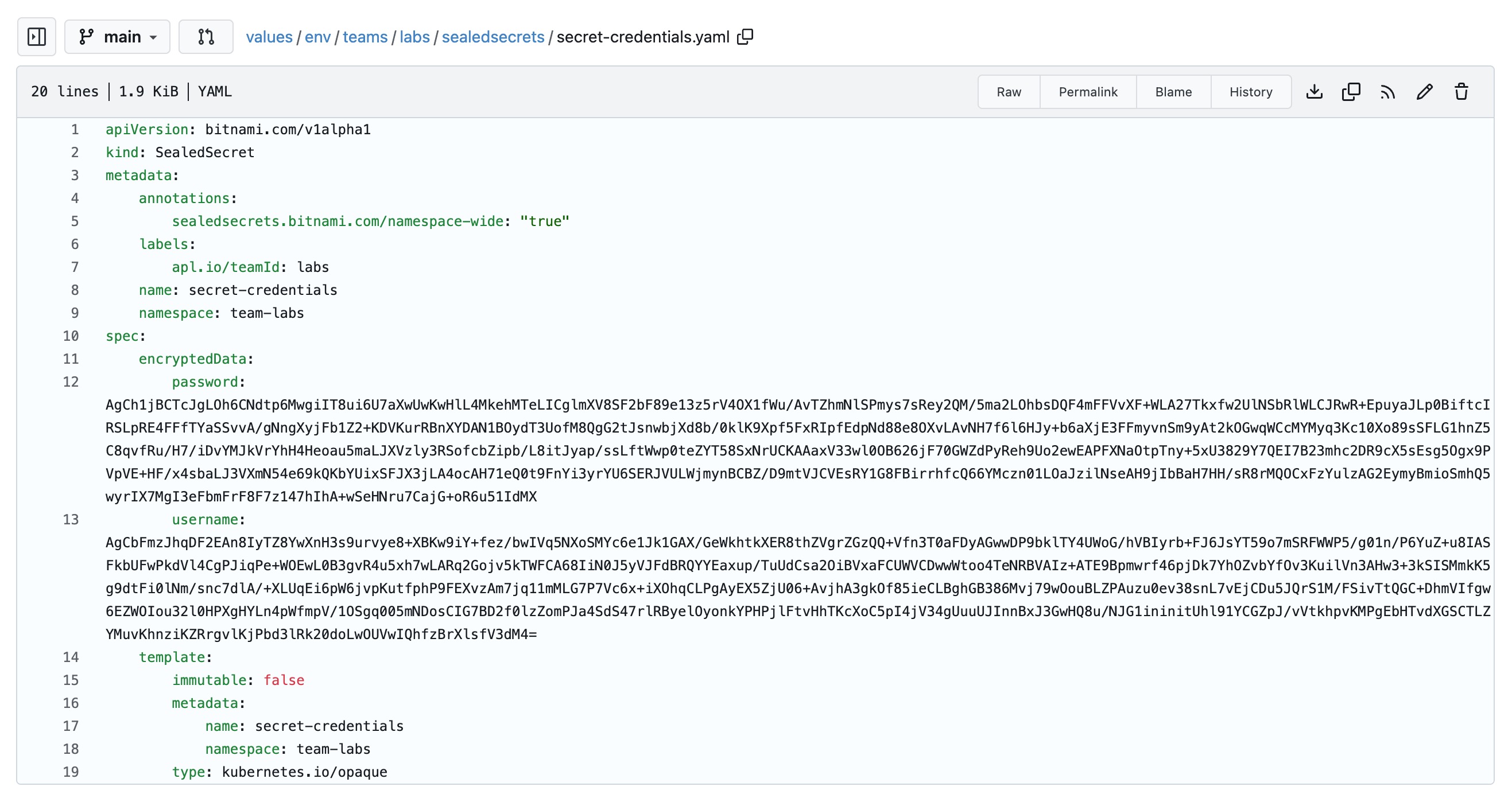
Now check git commits in the values repository. You will see that under values/env/teams/<team-name>/sealedsecrets/secret-credentials.yaml the secret is stored in yaml, but the values are encrypted.
Checking the Kubernetes secret
The only way to see the values of the secret is to decrypt the secret. The secret values are stored as base64 encoded values. In the left menu click on Shell and run the following command:
kubectl get secret secret-credentials -o yaml -n team-labsThis returns the secret in yaml format. The values are stored as base64 encoded values.
apiVersion: v1
data:
  password: aGVsbG93b3JsZA==
  username: bGFicy11c2Vy
kind: Secret
metadata:
  creationTimestamp: '2025-11-11T13:44:16Z'
  name: secret-credentials
  namespace: team-labs
  ownerReferences:
    - apiVersion: bitnami.com/v1alpha1
      controller: true
      kind: SealedSecret
      name: secret-credentials
      uid: fc1014f6-0212-49f7-a95d-c4169e053b60
  resourceVersion: '240057431'
  uid: b76d6944-fa91-4392-ba4c-80e3e07c7e82
type: kubernetes.io/opaque
If you want to decode the secret, you can use base64 -- decode:
kubectl get secret secret-credentials -n team-labs -o jsonpath="{.data.password}" | base64 --decodeAfter running this, the expected output is:
helloworldUpdated 3 months ago