
Media Services Live 4 Origin Shield
The reports provide usage details for traffic for origins that use multiple CDNs for delivery. If you’ve enabled multi-CDN for your origin, you can find these reports in Control Center under MSL4 Origin Shield > Realtime.
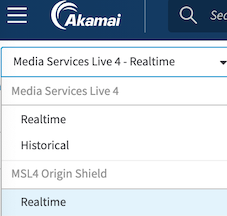
To view data in this report:
-
Click Filters.
-
Select a CP Code and set a Date range to filter the data for the report.
-
Click Apply.
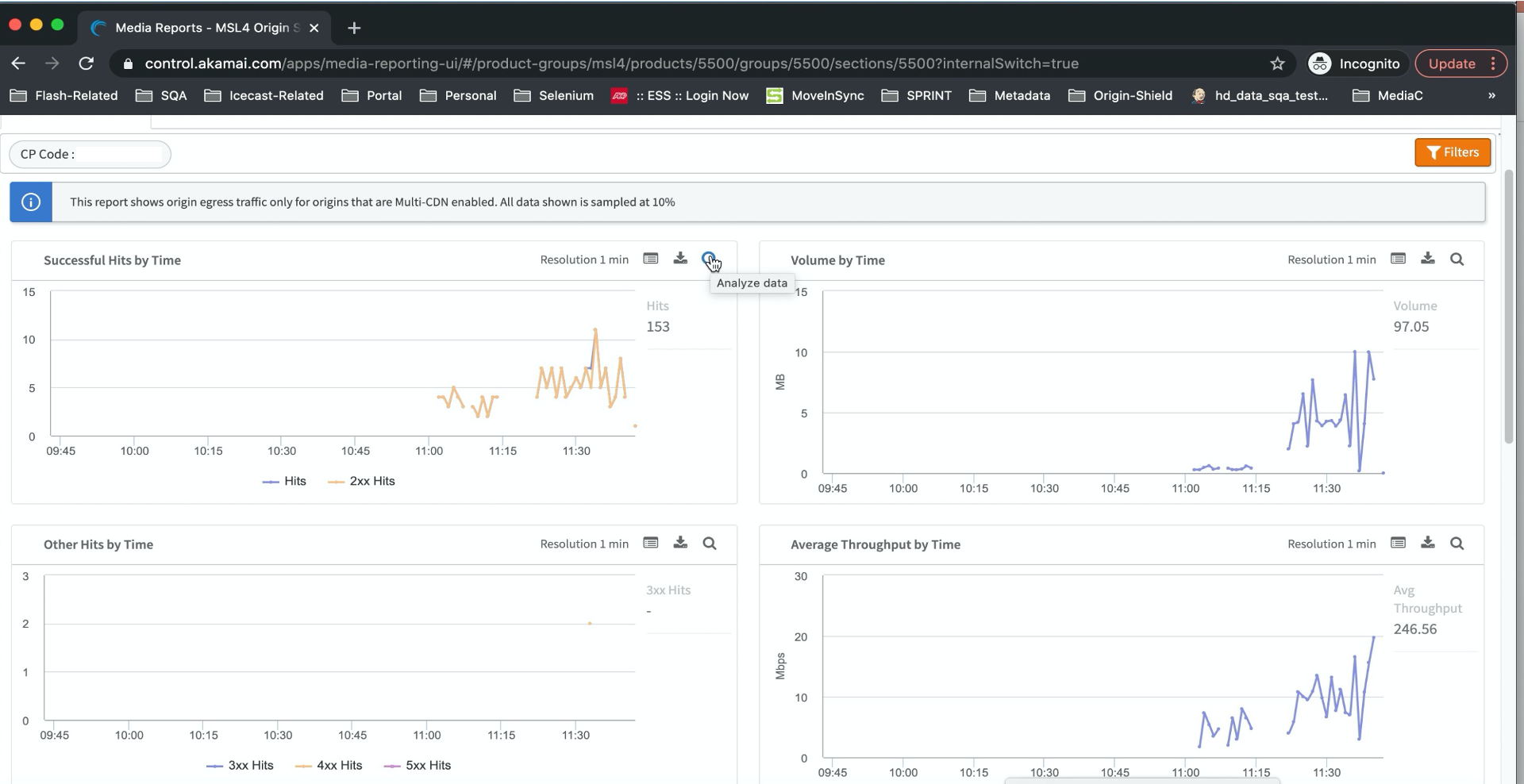
- You can click the Analyze data icon
 next to each report for more details. See Analyze data shown in a report for more information.
The report's dashboard uses the parameters in the form of metrics and dimensions.
Metrics
| Metric name | Description |
|---|---|
| 2xx Hits | Number of requests made to the entry point posting objects that returned response codes 200 to 299 (Successful) |
| 3xx Hits | Number of requests made to the entry point posting objects that returned response codes 300 to 399 (Redirection) |
| 4xx Hits | Number of requests made to the entry point posting objects that returned response codes 400 to 499 (Client Error) |
| 5xx Hits | Number of requests made to the entry point posting objects that returned response codes 500 to 599 (Server Error) |
| Active Streams | Streams active during a selected time period |
| Average Bitrate | Average amount of data transferred in a unit of time, calculated in terms of bits per second. It is expressed in kbps, Mbps, or Gbps. Note, that values reported do not include manifest requests. |
| Average Latency | Indicates the delay between Encoder and Entry Point when sending a unit of media payload. |
| Average Packet Loss | Measures the quality of connection between encoder and entry point. Provides connection level ratio of data packets (bytes) lost to the data packets (bytes) sent by the encoder. |
| Average Path Time | Average time taken from source to destination. |
| Error Rate | Rate of errors occurring in a unit of time, expressed as a percentage. |
| Hits | Total number of requests made to the entry point posting objects. |
Dimensions
| Dimension name | Description |
|---|---|
| CP Code | Identifier assigned to a contract associated with a particular stream. |
| Chunked Transfer Encoding | You can filter on streams that include the Note that it's available for streams published with Chunked Transfer Encoding enabled. |
| Encoder IP | IP address of encoder generating the stream. |
| Entry Point | IP address of the Entry Point on which stream is ingested. |
| File Extension | File extension of the ingested object. For example, .mp4 or .m3u8 |
| Stream ID | Unique identifier associated with a stream generated by the Akamai provisioning workflow. |
| Stream Type | Type of stream - Primary or Backup. |
| Time | Set automatically. Indicates the time in UTC format when the content was ingested. |
| Unique End Point | The URL path after the Stream ID in the ingest URL. Examples: - For segment requests: |
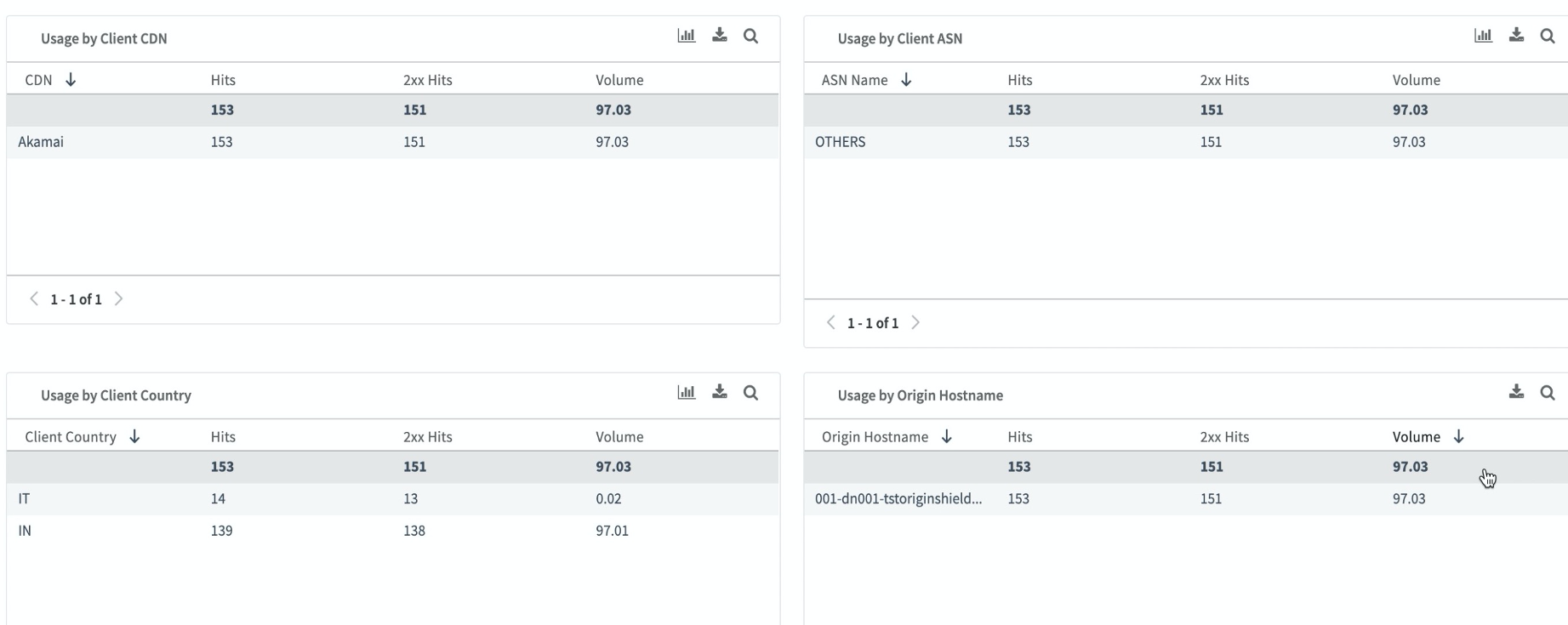
In addition to these metrics and dimensions, you can see data visualizations for Usage by Client CDN, Usage by Client ASN, Usage by Client Country, and Usage by Origin Hostname, as shown in this example:
Updated 8 months ago